Note: IMEI repair is legally restricted in many countries. Samfw 3.31 can rewrite IMEI/cert files for Qualcomm-based Samsung devices (e.g., S20, S21, A52) for professional repair of null IMEI caused by corrupt EFS partitions. Always comply with local laws.
If the main site is down for maintenance, the developer maintains a Google Drive mirror. Verify the SHA-256 hash if you are paranoid about security.
Official Hash (v3.31): (Check the website for updated hashes)
The short answer is yes—provided you download it from the official source and use it ethically. Samfw Tool 3.31 is a powerhouse for Samsung repair, offering features that competitors charge hundreds of dollars for. Its recent update to support Android 14 and One UI 6.0 ensures it remains relevant for 2024 and 2025 devices.
Whether you need to save a forgotten phone from FRP hell, strip away bloatware via ADB, or simply flash a clean firmware, Samfw Tool puts professional-grade repairs into the hands of anyone with a Windows PC and a USB cable.
Final Check:
By following this guide, you’re now ready to master your Samsung devices with confidence. Happy repairing!
Disclaimer: This article is for educational and repair purposes only. The author and website do not endorse illegal unlocking, theft, or unauthorized access to mobile devices. Always obtain proper consent before servicing a device.
While SamFw Tool 3.31 was a stable release in late 2022, users are now encouraged to download the latest official version, such as SamFw Tool 5.4, to ensure compatibility with newer security patches and devices. 1. Download & Safety
Official Source: To ensure your computer's safety and get the latest updates, always download from the official SamFw Blog. Prerequisites:
Disable Antivirus: Real-time protection may flag the tool as a "false positive" due to its nature; temporarily disable it during installation.
Samsung USB Drivers: Ensure the latest Samsung Android USB Drivers are installed so your PC can communicate with your device. 2. Key Features
The SamFw Tool is a versatile utility primarily used for Samsung devices, offering:
Samfw Tool 3.31 Download: A Comprehensive Guide
Are you looking for a reliable and efficient tool to help you with your smartphone-related tasks? Look no further than the Samfw Tool 3.31. In this blog post, we'll provide you with an overview of the Samfw Tool, its features, and a step-by-step guide on how to download and use it. Samfw Tool 3.31 Download
What is Samfw Tool 3.31?
The Samfw Tool 3.31 is a popular software tool designed for Samsung smartphone users. It's a free utility that allows users to perform various tasks, such as unlocking bootloader, flashing firmware, and repairing IMEI numbers. The tool is compatible with a wide range of Samsung devices, including Galaxy S, Note, A, and M series.
Key Features of Samfw Tool 3.31
The Samfw Tool 3.31 comes with a range of features that make it a go-to tool for Samsung smartphone users. Some of the key features include:
How to Download Samfw Tool 3.31
Downloading the Samfw Tool 3.31 is a straightforward process. Here's a step-by-step guide:
How to Use Samfw Tool 3.31
Using the Samfw Tool 3.31 is relatively easy. Here's a step-by-step guide:
Conclusion
The Samfw Tool 3.31 is a powerful and versatile tool for Samsung smartphone users. With its range of features, including bootloader unlock, firmware flashing, IMEI repair, and rooting, it's a must-have tool for anyone looking to take control of their device. By following the steps outlined in this blog post, you can download and use the Samfw Tool 3.31 with ease.
The Samfw Tool 3.31 Download: A Comprehensive Overview
In the realm of smartphone maintenance and repair, various tools have emerged to assist technicians and enthusiasts alike. One such tool that has garnered significant attention is the Samfw Tool, specifically version 3.31. This essay aims to provide an in-depth look at the Samfw Tool 3.31, its features, and the process of downloading and utilizing it.
What is Samfw Tool?
The Samfw Tool is a software utility designed to facilitate the repair and maintenance of Samsung smartphones. It offers a range of functions, including unlocking, flashing, and configuring device settings. The tool is particularly useful for technicians and advanced users who require more control over their Samsung devices. Note: IMEI repair is legally restricted in many countries
Features of Samfw Tool 3.31
Version 3.31 of the Samfw Tool comes with several notable features, including:
Downloading and Installing Samfw Tool 3.31
To download Samfw Tool 3.31, users can follow these steps:
Using Samfw Tool 3.31
Once installed, users can launch the Samfw Tool 3.31 and begin utilizing its features. The tool's interface is typically user-friendly, with clear instructions and minimal learning curve. Users can:
Conclusion
In conclusion, the Samfw Tool 3.31 is a valuable resource for Samsung device technicians and enthusiasts. Its range of features, including device unlocking, flashing, and configuration, make it an essential tool for device maintenance and repair. By following the download and installation process outlined above, users can access the tool's functionality and take control of their Samsung devices. As with any software utility, it is essential to use the Samfw Tool 3.31 responsibly and in accordance with the manufacturer's guidelines.
SamFw Tool 3.31 is a popular, free Windows utility used by Android enthusiasts and technicians primarily to service Samsung devices, such as removing Samsung accounts or bypassing FRP (Factory Reset Protection) locks [1, 2, 4].
Because it is a powerful software utility rather than a narrative piece, there is no official "story" or plot associated with it. However, if you are looking for a creative story
someone using the tool, you can read the fictional scenario below. The Digital Key: A Short Story
The rain drummed a frantic rhythm against the window of Leo’s small repair shop, matching the anxiety in the eyes of the teenager standing across the counter.
"Please tell me you can fix it," the boy pleaded, holding out a sleek, bricked Samsung smartphone. "It’s my late father's phone. I tried to factory reset it to clear some glitching, but now it's asking for a Google login and Samsung account I don't know. All his photos are trapped on there."
Leo nodded, recognizing the dreaded Factory Reset Protection (FRP) screen. To the average user, it was an impassable digital wall. To Leo, it was just another puzzle. "I can help you," Leo said gently. "Give me a few minutes." By following this guide, you’re now ready to
He took the device to his workbench and booted up his PC. He didn't need to scour shady forums or risk downloading malware. He navigated straight to his trusted folder and launched SamFw Tool version 3.31
Leo connected the phone via USB. The software's clean interface recognized the device instantly. He knew this specific older version was the perfect, stable sweet spot for this exact model's security patch. The Handshake: Leo clicked on the 'Remove FRP' option. The Secret Command:
The program prompted him to enter a secret code on the phone's emergency dialer: . The phone's screen flickered into a hardware test grid. The Unlock:
With a click of a button on the SamFw interface, the software sent the exploit commands. Leo watched the progress bar fill up. Enabling ADB... OK. Removing FRP... OK.
The phone suddenly rebooted. When the screen lit back up, it bypassed the setup wizard entirely and loaded straight to the home screen.
Leo handed the unlocked phone back to the teenager. The boy tapped on the gallery icon, and his face lit up as hundreds of family photos appeared. "You're a lifesaver," the boy breathed.
Leo smiled, closing out of the program. It was just another day at the shop, but with the right tool in his digital arsenal, he had just saved a lifetime of memories. ⚠️ Important Safety Notice
If you are looking to download the actual software for technical use, please keep the following in mind: Use Official Sources:
Only download service tools from the official SamFw website. Third-party hosting sites often bundle these tools with malware or trojans. False Positives:
Because these tools use exploits to bypass security locks, your Windows antivirus will almost certainly flag them as a threat. You usually have to disable your antivirus temporarily to run them. how to use
the software for a device you own, or are you looking for a different kind of creative story?
🟢 Pro tip: Use a good quality USB cable and connect directly to a motherboard USB port (not a hub).
If you don’t have them already, the tool will prompt you to install Samsung USB drivers. Click Yes.
In the world of Samsung device maintenance, few names command as much respect as Samfw Tool. Whether you are a professional technician running a repair shop or a tech-savvy enthusiast trying to revive a bricked Galaxy phone, this piece of software has become an essential utility. With the release of version 3.31, Samfw has introduced significant stability improvements and new features.
This article serves as your complete resource for the Samfw Tool 3.31 download, installation, key features, safety precautions, and step-by-step usage guides.
始于口碑
连接线生产经验
行业成功案例
作为国内首批涉足电脑周边产品的专业制造商,自1999年以来,Z-TEK坚持以自主研发、生产、外贸、OEM/ODM于一体的完整性及规范化的运营模式,产品具备独特的外观、新颖的结构、严谨的工艺、优良的品质、健全的测试认证,树立高新电子产品的前端地位。
未来, Z-TEK 将持续保持产品的竟争力和先进性,矢志成为高端线缆制品消费引导者。对产品积极创新,精益求精,对用户竭诚尽责,坚持不懈。
“专业成就品牌,敬业铸造精品,服务赢得信赖。”Z-TEK时刻恪守自己的承诺,携手广大客户共创美好未来。

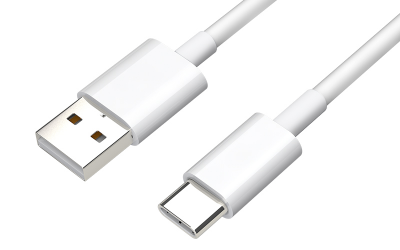
自1998年苹果首次将USB作为iMac连接外部设备的标准接口之后,USB就逐渐开始被各家企业所接受,并广泛应用于电脑、手机、相机、游戏机等各类电子产品中。就在本...
查看详情
第一点:需要注意各种材料的情况和质量根据技术指标等特点分析可知,数据线的编织方法和相应的铝箔层对数据线本身会起到良好的防护和屏蔽作用,想要让这种usb...
查看详情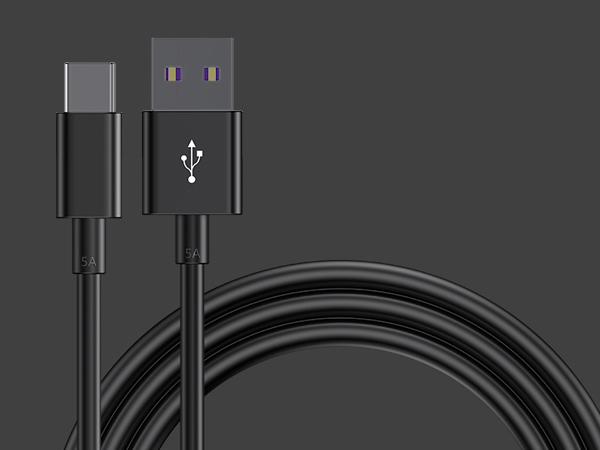
1、数据线插拔次数达到或超过设计次数。早期USB接口插拔设计寿命为几百次,现在能够达到几千次。接口容易出现的问题就是插头簧片接触不良,所以充不进电。如果...
查看详情

扫码访问手机网站
输入产品主体上的SN号即可查询真伪
若您在产品使用中有疑问或建议,可通过以下方式与我们取得联系
地址:深圳市龙岗区平吉大道融湖广场创新中心L1201
客服热线:400-811-8785
业务专线:0769-82588570
E-mail:sales@z-tek.com
网址:https://www.z-tek.com
All Rights Reserved © 2026 Lenshub


